Halftime hits during a packed Sunday afternoon, and three high-top tables near the patio cash out their tabs instead of ordering another round of pitchers. Afternoon sunlight washes out the corner screens, patrons in the back booths have been craning their necks around standing crowds for two hours, and the bartender is frantically clicking a pile of plastic remotes trying to unfreeze a satellite feed. When guests cannot comfortably see the replay or hear the referee's call, they finish their drinks and head home for the second half. Creating a profitable sports viewing environment requires far more than bolting a dozen bargain televisions to the drywall and hoping for the best.
Fortunately, our commercial integration experts at Elite A/V have already engineered the blueprint to turn those early check-outs into four-hour table stays across Las Vegas hospitality venues. By combining calculated sightline geometry, anti-glare displays, localized audio zones, and one-tap tablet control, you can build a venue where every seat feels like the fifty-yard line. Below, we break down the exact hardware specifications, mounting formulas, and screen monetization tactics that keep guests comfortable and ordering food through overtime.
Upgrade Your Venue with Elite A/V
Keep every table full from kickoff to overtime with custom commercial video, zoned audio, and one-touch control engineered by Las Vegas hospitality integration specialists.
Key Takeaways
- Sightline Coverage: Every seat in your venue should have a clear, unobstructed line of sight to at least two or three screens without forcing guests to twist their chairs or strain their necks.
- Commercial Display Durability: True commercial-grade displays offer 16/7 to 24/7 duty ratings, anti-glare matte panels, and 500 to 2,500+ nits of brightness that prevent washed-out images during daytime games.
- Zoned Acoustic Comfort: Using 70V distributed audio and digital signal processors lets you pump live play-by-play commentary to the bar rail while keeping family dining booths at a relaxed conversational volume.
- Centralized AV Over IP Control: Routing video over CAT6 network cabling to a central equipment rack lets bartenders switch any game on any screen in seconds using a single wall-mounted tablet.
Eliminate Bad Seats to Keep Every Table Ordering Through Overtime
A profitable sports bar TV layout starts with a strict hospitality sightline rule. Every single patron should have an unobstructed view of at least two to three displays without turning their chair or craning their neck past a 30-degree vertical angle. When guests have to twist around a structural column or squint across the room to read the score ticker, physical fatigue sets in by the second quarter. Uncomfortable patrons skip dessert and second-round drink orders because their bodies tell them it is time to leave.
How many TVs does a sports bar need to prevent dead zones? Instead of guessing, our engineers calculate screen density using the 2.5x diagonal viewing distance formula. You divide the distance from the viewer to the wall by 2.5 to find the minimum screen diagonal, or multiply the screen size by 2.5 to determine its maximum effective reach. Getting the optimal TV viewing distance and the best TV mounting height for a bar requires matching the hardware to the specific seating posture in each zone:
- Bar Rail Seating (5 to 8 Feet Away): Install 55-inch to 65-inch displays mounted at a 72-inch to 80-inch center height with a 10-degree to 15-degree downward tilt mount so bartenders and top-shelf liquor bottles never block the lower third of the screen.
- Main Dining Floor (10 to 15 Feet Away): Deploy 75-inch to 85-inch displays so table guests can easily read player stats and scrolling fantasy tickers from across the walkway.
- Intimate Seated Booths (4 to 6 Feet Away): Mount 43-inch to 50-inch displays at an eye-level 57-inch to 65-inch center height along the perimeter wall for comfortable close-range viewing.
- High-Traffic Standing Zones: Place secondary corner displays at an 84-inch center height angled toward the center of the room to clear the heads of standing crowds during peak fight nights or playoff games.
Accounting for standing crowds at peak capacity separates amateur setups from high-grossing venues. A screen mounted at 60 inches looks fine in an empty dining room at 2:00 PM, but once a three-deep crowd gathers around the bar rail at 6:00 PM, seated booth diners lose their view completely. Positioning secondary displays high in the room's corners and angling them across the diagonal sightlines ensures seated diners still have two clear screens in view even when the bar walkways are packed wall to wall.
Physical visual comfort also depends heavily on glare control and room lighting. Glare-washed screens cause rapid eye strain, especially in Las Vegas venues where afternoon desert sun pours through front windows or patio doors. Combining anti-glare commercial matte panels with motorized window shading and programmable low-voltage lighting scenes eliminates harsh reflections on the glass. When you dim the overhead pendants by 30 percent and lower the solar shades automatically at kickoff, the screen contrast pops and guests settle in for another two hours of ordering.
Selecting Displays and Video Walls for Commercial Sports Viewing
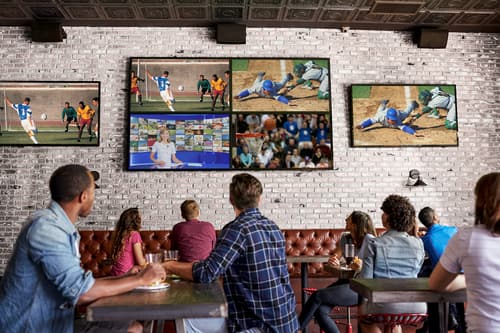
Buying consumer-grade televisions from a big-box store is one of the fastest ways to blow your maintenance budget. Consumer TVs are engineered for four to six hours of daily residential use in a climate-controlled living room. In fact, plugging a standard residential television into a commercial restaurant wall immediately voids the manufacturer's warranty, leaving you to pay out of pocket when the power supply or backlight burns out mid-season.
True commercial grade displays are purpose-built for the harsh realities of hospitality environments. Operating a reliable sports viewing venue requires hardware that can handle grease vapor, heat buildup, and 16-hour operating schedules without dimming or failing. When selecting screens for your floor plan, look for these five operational specifications:
- Continuous Duty Ratings: Commercial screens carry 16/7 or 24/7 duty ratings with upgraded capacitors and cooling fans that prevent thermal shutdowns during back-to-back tournament weekends.
- High Nit Brightness Levels: While consumer TVs top out around 300 nits with glossy screens that act like mirrors, commercial displays deliver 500 to 700 nits indoors and 1,500 to 2,500+ nits for sunlit outdoor patios.
- Wide IPS Viewing Angles: In-Plane Switching (IPS) commercial panels maintain accurate color and contrast up to 178 degrees off-axis, preventing the washed-out gray image that plagues cheap screens when viewed from a side booth.
- Heavy-Duty VESA Mounting & Tamper Locks: Reinforced metal chassis, recessed power cords, and keypad lockouts stop patrons from changing channels manually or knocking screens out of alignment.
- Anti-Burn-In Pixel Shifting: Built-in pixel orbiter technology subtly shifts static ESPN or Fox Sports scoreboards so your screens never suffer permanent ghosting after a long football season.
Video Walls vs. Distributed Ribbon Clusters
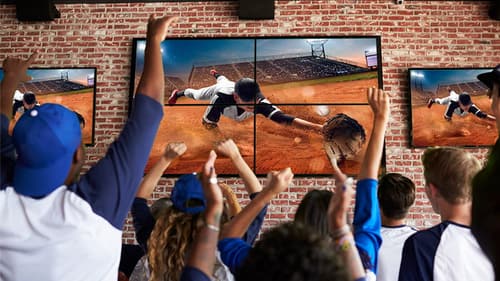
Venue owners frequently ask whether they should spend their display budget on a massive 2x2 or 3x3 anchor video wall installation or a distributed ribbon cluster of individual 65-inch screens. Both configurations drive revenue, but they solve different architectural problems. A bezel-less 4K UHD video wall with multi-view quadrant splitting lets you combine four or nine screens into one giant canvas for the Super Bowl, or split that same canvas into four separate college football games on a busy Saturday morning.
However, placement dictates return on investment. Placing a massive video wall directly behind a narrow bar rail actually serves the fewest seats in the building because patrons sitting at the bar are too close to focus on a 165-inch image, and the bar structure blocks the view for low-top tables behind them. Instead, install your primary video wall on a high-visibility focal wall facing the main dining floor to anchor the room's energy. Use a ribbon cluster of four to six individual 55-inch or 65-inch displays behind the bar so bartenders and barstool patrons can track every regional game simultaneously.
Weatherproof Outdoor Patio Displays
Expanding your sports viewing footprint onto an outdoor patio immediately increases your cover count, provided the screens can survive the elements. Standard indoor displays fail quickly outdoors due to dust infiltration, humidity, and extreme heat isotropic blackout—where the liquid crystals in the panel literally boil and turn pitch black under direct sunlight. Weatherproof IP55-rated or IP65-rated outdoor commercial displays use sealed aluminum enclosures, internal thermal cooling systems, and ultra-high-bright 2,000-nit anti-reflective glass so patio guests can clearly track the golf ball or hockey puck at high noon.
Choosing the Right Visual Architecture for Every Venue Zone
| Setup Architecture | Ideal Venue Zone | Screen Size & Config | Optimal Viewing Distance | Brightness Rating | Signal Routing | Guest Ordering Impact |
|---|---|---|---|---|---|---|
| Single-Screen Bar Rail | Over-bar soffits and back-bar walls | 55 to 65 inch individual commercial displays | 5 to 8 feet | 500 to 700 nits | AV over IP or HDMI Matrix | Keeps solo diners and barstool regulars ordering drinks across multiple simultaneous games. |
| Multi-Screen Dining Cluster | Central dining room columns and perimeter walls | 3 to 4 grouped 65 to 75 inch displays | 10 to 15 feet | 500 to 700 nits | AV over IP network | Allows large groups with mixed team loyalties to share a table and order group platters. |
| Anchor Video Wall | Main focal wall facing dining floor | 2x2 or 3x3 55 inch ultra-narrow bezel wall | 15 to 30 feet | 700 to 1,000 nits | AV over IP with video wall processor | Creates a stadium atmosphere that drives high-margin event reservations and bottle service. |
| Outdoor Patio Displays | Covered patios, cabanas, and beer gardens | 55 to 75 inch weatherproof outdoor displays | 8 to 18 feet | 1,500 to 2,500+ nits | Shielded CAT6 AV over IP | Turns underutilized afternoon patio seating into a high-turnover game-day revenue center. |
Deliver Stadium Sound at the Bar Without Drowning Out Dining Booths
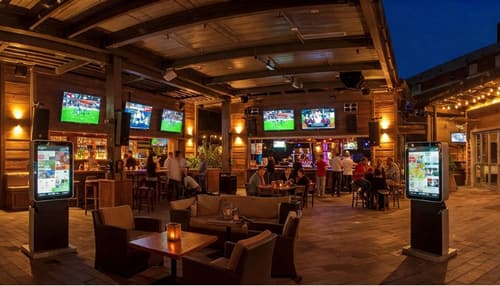
Blasting the main television volume across the entire restaurant is a guaranteed way to alienate half your guests. While the rowdy crowd at the bar rail wants to hear every tackle and announcer call, a family having dinner in a perimeter booth wants to talk comfortably without shouting over a roaring crowd track. Even worse, cranking up built-in TV speakers creates harsh, metallic echo off hard tile floors and drywall ceilings. This acoustic fatigue triggers subconscious stress, causing guests to close their tabs early and servers to mishear food modifiers.
Engineering a multi-zone audio system solves this conflict by carving your venue into independent acoustic pockets. Instead of using the tinny speakers built into the displays, audio feeds are routed into a commercial Digital Signal Processor (DSP) and multi-channel 70V/100V commercial amplifiers. A 70V distributed audio line allows our installers to daisy-chain dozens of ceiling, pendant, or surface-mount speakers across long cable runs while tapping each speaker at the exact wattage required for its ceiling height.
Main Floor Stadium Audio vs. Dining Room Zones
In high-energy bar zones, we pair overhead pendant speakers with commercial subwoofers tucked cleanly under banquette seating or suspended in the ceiling joists. This delivers warm, punchy low-end bass that makes live commentary and halftime music feel full without needing painful volume levels. Adding acoustic ceiling treatments—such as sound-absorbing baffles disguised as decorative wood slats or black ceiling clouds—soaks up stray reflections so guests can hear both the play-by-play and their server's specials clearly.
Meanwhile, the family dining area and outdoor patio operate on separate DSP zones. Using ambient noise compensation microphones, the system automatically adjusts the volume as the room fills up, keeping the background music or secondary game audio just above the chatter level. For outdoor patios, directional surface-mount speakers angled inward toward the tables keep the energy high on the deck while ensuring strict patio sound containment so you never violate local neighborhood noise ordinances.
VIP Private Booth Audio Routing
What happens when four different tables want to listen to four different afternoon games at the same time? Rather than creating an overlapping mess of competing broadcasters, high-end venues use localized audio routing for VIP booths and private dining areas:
- Directional Soundbars & Parabolic Speakers: Mounted directly above a large VIP booth, focused speaker arrays project a narrow beam of sound straight down to the table without bleeding into the adjacent booth three feet away.
- Wall-Mounted Keypad Selectors: High-roller booths can feature a simple four-button wall plate that lets the table choose whether to pipe in the main bar commentary, the secondary game feed, or the restaurant's background music playlist.
- Tabletop & Mobile App Audio Streaming: Integrating a local Wi-Fi audio streaming server lets guests scan a table QR code to listen to any muted screen in the building through their own earbuds while enjoying dinner with friends.
AV Over IP Distribution and One-Touch Staff Control Systems
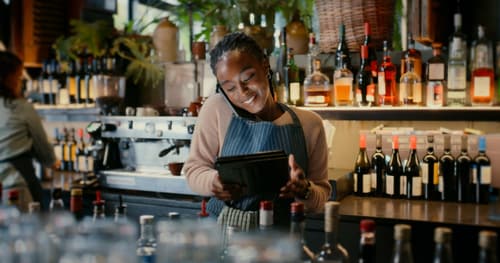
Nothing kills game-day momentum faster than a bartender standing on a chair waving a plastic infrared remote at a ceiling-mounted TV while twenty thirsty patrons wait to order beers. In legacy consumer setups, pointing a remote at one screen accidentally changes the channel on three neighboring TVs, or a local cable box strapped to the back of a high mount freezes and requires someone to fetch a ladder during the dinner rush.
Modern commercial video distribution eliminates these bottlenecks by moving all source boxes off the walls and into a centralized, ventilated equipment rack in the manager's office or back-of-house closet. Knowing how to set up multiple TVs for sports comes down to choosing between two primary backbone architectures: a fixed HDMI matrix switcher (such as an 8x8 or 16x16 chassis) for smaller venues, or a scalable AV over IP system for mid-to-large sports bars.
An AV over IP system works by connecting every satellite receiver, cable box, Apple TV, and digital signage player in your rack to a small hardware encoder. Behind every commercial display on the floor sits a tiny PoE (Power over Ethernet) decoder connected via standard CAT6 structured cabling back to a managed Gigabit network switch configured with IGMP snooping. Because video travels as data packets over the local network, your system is endlessly scalable—if you add four new patio screens next spring, you simply plug four new decoders into the network switch without replacing your core hardware.
When we wire a commercial equipment rack, we always leave a 20 percent port buffer on the managed PoE switch and pull two spare CAT6 lines to the main bar soffit so adding a temporary Pay-Per-View receiver or charity event laptop later takes five minutes instead of a drywall crew.
One-Touch Tablet Control for Busy Staff
A powerful rack is useless if your staff needs an engineering degree to run it. By integrating centralized AV control platforms like Crestron or Control4 using reliable RS-232 serial and IP control protocols, we replace twenty remotes with a single wall-mounted touch panel or behind-the-bar iPad. The graphical interface shows a custom floor plan of your exact restaurant. When a regular at Table 12 asks for the Golden Knights game on Screen 4, the bartender simply taps "Screen 4" and taps "Cable Box 3" on the iPad—routing the video and audio in two seconds flat without leaving the well.
The operational return on investment extends far beyond channel surfing. Automated opening and closing macros save hours of daily labor and cut utility bills:
- Single-Tap Opening Presets: The opening manager taps one "Morning Open" button at 10:30 AM, and the system automatically powers on all 25 displays, routes ESPN and FS1 to the bar cluster, sets the dining audio to a daytime playlist, and raises the motorized window shades.
- Game-Day Event Macros: Before a major kickoff, a single tap switches the entire venue into "Main Event Mode," combining the 2x2 video wall into a single giant screen, switching the main floor DSP to live stadium audio, and dimming the booth lights.
- One-Touch Nightly Shutdown: At closing time, hitting "All Off" safely powers down every display and amplifier while keeping the central equipment rack cool and ready for tomorrow.
Custom Commercial Sports Viewing Systems Pros and Cons
Upgrading from a piecemeal consumer television setup to an engineered commercial AV distribution and display network is a strategic capital investment. Understanding the financial returns alongside the upfront infrastructure requirements helps venue owners budget properly during a build-out or remodel.
Pros
Higher Check Averages and Table Dwell Time:
Eliminating neck strain, screen glare, and acoustic echo keeps patrons comfortable through all four quarters, directly driving second-round drink orders and late-game food sales.
Zero Staff Remote Clutter and Downtime:
Centralizing all satellite boxes and streaming devices into a back-office rack with iPad control keeps bartenders pouring high-margin drinks instead of troubleshooting frozen screens on a ladder.
Infinite AV Over IP Scalability:
Networked video distribution lets you route any source to any screen—or expand your system with new patio displays and video walls later—without tearing open walls to run bulky HDMI cables.
Commercial Hardware Longevity and Warranty Protection:
Purpose-built 16/7 and 24/7 commercial displays resist kitchen heat, grease, and screen burn-in while remaining fully covered by multi-year commercial on-site replacement warranties.
Cons
Higher Upfront Capital Expenditure:
Commercial displays, managed PoE network switches, DSP audio processors, and licensed low-voltage installation require a higher initial investment than buying residential consumer TVs at a retail warehouse.
Dedicated Rack Space and Structured Cabling Requirements:
A reliable centralized system requires a ventilated back-of-house closet for the equipment rack and dedicated CAT6 and 70V speaker wiring runs installed above the ceiling grid.
Monetizing Screens with Digital Signage and Promotional Overlays
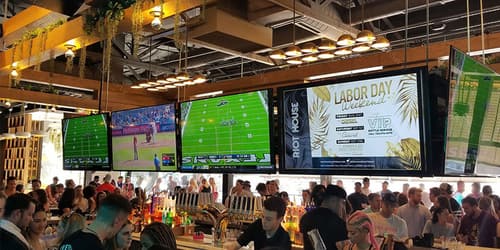
Once you have a captive audience locked into your screens for three hours, your displays become the most valuable real estate in your building. Relying solely on servers to verbally upsell appetizers or drink buckets during a chaotic third quarter leaves thousands of dollars on the table. Integrating restaurant digital signage directly into your AV over IP network turns passive sports viewers into active buyers without interrupting the game.
Instead of sacrificing an entire television that could be showing a regional game, smart operators use media players with HDMI pass-through and L-bar screen wraps. An L-bar wrap slightly scales back the live broadcast into 85 percent of the screen while wrapping the bottom and left border in a sharp, branded graphic banner. Guests never miss a single snap of the football game, while your high-margin kitchen and bar promos stay in their line of sight all afternoon.
Tactical Game-Day Screen Monetization Timeline
How do you keep guests ordering during blowouts, commercial breaks, and post-game transitions instead of asking for the check? By matching your digital signage triggers to the natural rhythm of the broadcast directly from your control tablet:
- Pre-Game Warmup (60 Minutes Before Kickoff): Display high-resolution food photography featuring shareable appetizer combos, wing platters, and bucket specials alongside a countdown clock to encourage early tables to order food before the kitchen slams.
- Halftime & Commercial Breaks: Trigger a 60-second animated overlay or dedicated promotional screen highlighting instant-pour draft pitchers, domestic beer buckets, or quick-fire shots that bartenders can deliver before the third quarter starts.
- Blowout & Fourth-Quarter Retention: If the featured game turns into a lopsided blowout by the third quarter, use ticker overlays at the bottom of the screen to promote late-night happy hour pricing, trivia widgets, or upcoming UFC Pay-Per-View watch-party reservations.
- Overtime & Post-Game Transition: The moment the clock hits zero, trigger a "Beat the Traffic" kitchen special or flash a dynamic QR code on the screen that lets tables order a round of discounted flatbreads or desserts directly from their phones.
Connecting your AV hardware directly to your food and beverage promotions ensures the system pays for itself. Even a modest 15 percent lift in table check averages across ten busy football weekends can offset the cost of upgrading to centralized control and digital signage overlays.
Build a Winning Sports Viewing Destination with Elite A/V
Designing a high-grossing sports viewing venue comes down to engineering every detail around guest comfort and staff speed. When calculated sightlines, bright commercial displays, localized 70V audio zones, and one-touch AV over IP control work together, guests stay relaxed in their seats and keep ordering round after round. Instead of losing tables at halftime to glare and audio fatigue, your venue becomes the neighborhood headquarters for every major championship and fight night.
Whether you are building out a bustling Las Vegas sports bar, upgrading a restaurant patio, or designing an ultimate residential media room at home, partnering with an experienced local integrator makes all the difference. At Elite A/V, our licensed low-voltage technicians handle every phase of your project, from custom sightline CAD engineering and enterprise-grade rack wiring to intuitive iPad programming and responsive local support. Skip the headaches of DIY setups and national big-box installers; contact Elite A/V today to schedule an on-site consultation and turn your screens into a reliable revenue engine.
Frequently Asked Questions About Sports Viewing Setups
A commercial sports bar or restaurant needs enough displays so every single seat has an unobstructed view of at least two to three screens without the guest turning their chair. Using the 2.5x diagonal distance formula, this typically translates to one 55-inch to 65-inch screen every 8 to 10 feet along the bar rail and clustered 75-inch to 85-inch displays covering the main dining floor.
The best TV mounting height for a commercial sports viewing area is a 72-inch to 80-inch center height with a 10-degree to 15-degree downward tilt behind standing bars, and a 57-inch to 65-inch eye-level center height for enclosed dining booths. Elevating bar and corner displays above 72 inches prevents standing crowds and liquor bottles from blocking the screen while keeping seated patrons within a comfortable viewing angle.
An AV over IP system works by converting video signals from centralized cable boxes and satellite receivers into digital data packets using encoders, then routing them over a managed Gigabit CAT6 network switch to decoders mounted behind each TV. This allows staff to send any live game to any combination of single screens or video walls instantly from an iPad without running heavy HDMI cables across the building.
Venues should use commercial displays instead of consumer TVs for sports viewing because commercial panels feature 16/7 to 24/7 duty ratings, 500 to 2,500+ nit brightness levels, anti-glare matte coatings, and heat-resistant internal components. Furthermore, installing a residential consumer TV in a bar or restaurant immediately voids its factory warranty, whereas commercial displays include multi-year commercial replacement protection.
You manage audio when multiple games are playing at once by using a commercial Digital Signal Processor (DSP) and 70V multi-zone amplifiers to divide the restaurant into independent acoustic zones. This architecture lets you broadcast live stadium commentary for the featured game at the bar rail while playing secondary game audio or low-volume background music in dining booths and on outdoor patios.
Digital signage increases food and drink orders during live games by wrapping live broadcasts in L-bar promotional graphics or triggering automated halftime specials across dedicated menu boards. Putting visual prompts for beer buckets, wing platters, and QR-code ordering directly in the guest's line of sight captures impulse purchases during commercial breaks and keeps tables ordering through the fourth quarter.
Find The Commercial Solutions at Elite A/V
When you choose Elite A/V for your project, you're choosing a partner that combines expertise, innovation, and a commitment to excellence. We are dedicated to bringing your vision to life and ensuring that your space is equipped with the latest technology to enhance your lifestyle or business operations. Contact us today to discuss your project and discover how we can make your technology dreams a reality.
Why Trust Elite A/V?
When it comes to elevating your residential or commercial space with cutting-edge technology and exceptional service, Elite A/V is your trusted partner for audio-video solutions in Las Vegas, Nevada. We take pride in offering a wide range of services to transform your environment into a smarter, more efficient, and more enjoyable space. With years of experience in the industry, our team of seasoned professionals possesses the expertise to handle all aspects of your project, from concept to completion. Whether you're looking to create a state-of-the-art home theater, upgrade your audio and sound systems, implement conference room solutions, or enhance your lighting with smart technology, we have the knowledge and skills to deliver exceptional results.